
Asphalt 8 Area 51 Track Guide: Layouts, Shortcuts, Cars & Tips

Area 51 is a real military base in Nevada, United States. The facility lies deep in a restricted zone and has a long history of secret aircraft testing. Rumors of UFO research contribute to its status as one of the world’s most talked-about locations and explain why players see it often in games and movies.
Gameloft used this idea and built a fast, intense, and secret-themed track for Asphalt 8 Airborne. The track mixes desert roads, indoor labs, dark tunnels, and open test zones. Our analysis shows that the layout feels different from most maps in the game. You get wide outdoor paths for full speed and tight indoor turns that demand quick reactions.
This guide is for every type of Asphalt 8 player. It helps beginners understand the layout. It gives speedrunners clean racing lines. It supports multiplayer racers who want better control in close battles. It also helps Asphalt 8 Mod APK users who want to improve their skills on this track.
What makes Asphalt 8 Area 51 special is its mix of mystery and speed. The dark labs, laser gates, glowing corridors, and hidden paths build tension as you move deeper into the base. Outdoor sections let you push top speed. Indoor sections keep you alert with hard turns and narrow routes. Based on our findings at asph8pro.com, this track stands out for rewarding both skill and timing.
If you want a track that tests reflexes, control, and nitro timing, Area 51 delivers all of that in one place.
Real Asphalt 8 Area 51
Area 51 sits in a remote desert region of Nevada, far from public roads and towns. The site spans a wide area of restricted land, including dry lake beds, long runways, and secured checkpoints. Our findings show that the facility supports advanced testing programs focused on aircraft performance, flight behavior, and new aviation technologies.
The real base rarely releases public information, which makes it hard to know what happens inside. This lack of confirmed details is what created most of the mystery around it. People started sharing stories because the government stayed silent for many years. These stories grew online and shaped the modern image of Asphalt 8 Area 51.
Movies and games use this location because the environment already feels intense. The open desert creates space for speed. The deep tunnels and airstrips fit the idea of a hidden facility. This gives creators a strong foundation for designing action-heavy scenes. Based on our findings at asph8pro.com, players enjoy maps that blend open zones with tight spaces, which makes this theme a natural fit for racing games.
The Area 51 seen in Asphalt 8 is not the real location. Gameloft only used the idea of a secret research base and built a fictional track around it. The game does not show actual operations or real structures. It simply uses the concept to create a fast and mysterious racing environment.
Read also for: Asphalt 8 vs Asphalt 9
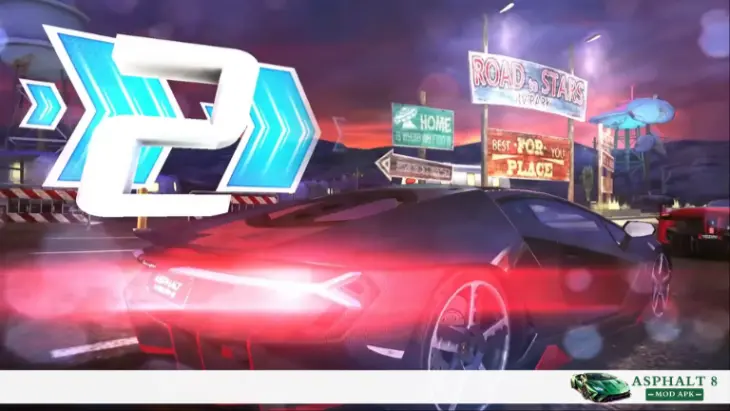
Overview of Area 51 as a Track in Asphalt 8
Summary
Asphalt 8 Area 51 feels fast, tight, and mysterious. The track blends desert paths, indoor labs, tunnels, and high-security zones. Each layout changes the race’s flow and speed. Our findings show that the environment creates pressure on the player, especially in turns and narrow sections. The track looks simple from the outside, but demands strong control inside the base.
Area 51 stands out because of its strong theme. The track feels like a hidden military base built deep in the desert. You move from open roads into controlled zones, then back out into wider areas. The game uses bright warning lights, heavy doors, and sharp turns to build tension as you enter the facility.
The desert outside the base gives you room to gain speed. You see wide corners, sandy paths, and long straight lines that help charge nitro. Once you enter the tunnels, the atmosphere changes quickly. The space gets narrow. The turns get sharp. Our analysis shows that these indoor sections test handling more than top speed.
The secret labs add another layer to the track. These rooms have glowing panels, red barriers, and tight exits. Players must stay steady because even a small mistake can lead to a wreck. Some areas also hint at UFO activity, which fits the theme and keeps the environment exciting.
Area 51 always stays in nighttime mode. The lighting makes edges and objects easier to miss if you react late. Based on our findings at asph8pro.com, many players struggle here because shadows and bright signs shift their focus while racing.
The full track length goes beyond most desert locations in the game. You pass open test zones, underground paths, and indoor labs before reaching the final stretch. The layout gives a strong mix of speed and control challenges.
The track runs the same across the app on Asphalt 8 iPhone, Android, and PC Windows. Visual effects and lighting may look sharper on higher-end devices, but the route, jumps, and timing stay the same on all platforms. This means players can learn the layout once and race it well on any device.
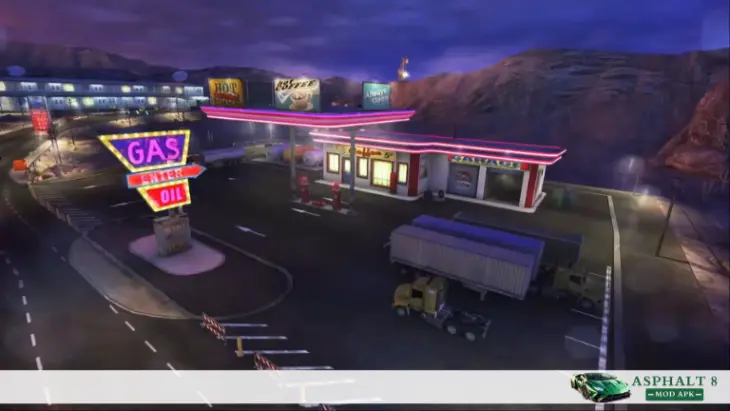
Asphalt 8 Area 51 Track Variants
Summary
Area 51 has four layouts, and each one plays very differently. Some focus on speed, while others test control inside tight rooms. Our analysis shows that players who learn all four routes gain a clear advantage in Career mode and Multiplayer. Each layout has its own shortcuts, hazards, and ideal racing lines. These differences make Area 51 one of the most complex locations in Asphalt 8.
The following are Area 51 layouts.
Test Site: Omega
Test Site: Omega mixes outdoor roads with controlled indoor zones. You start with open paths that let you build early speed. The first major shift happens when you enter the hangar area. The space narrows, and you must keep a clean line to avoid losing speed.
The indoor/outdoor flow is fast. You push through bright rooms, then burst back into the desert. These shifts make the layout feel unpredictable. Our findings show that this layout rewards cars with strong acceleration and stable handling.
Ramps appear often near the airstrip. Some ramps give smooth airtime, but a few sit at angles that can break your flow. A late jump can push you into a wall. Based on our analysis at asph8pro.com, the safest racing line stays slightly left on most early ramps and shifts to the center as you enter hangars.
Best cars here: Below are the Asphalt 8 best cars for this layout.
– S-Class cars with strong nitro gain
– A-Class cars with tight turning control
– Cars with high top speed for the long exit stretch
Clean drifting and early nitro use help you stay ahead on the Test Site: Omega.
To discover more racing options, explore asphalt 8 vehicles, motorcycles and Alps track and enjoy an even more exciting and immersive race experience.

Classified Layout
Classified is the tightest layout in Area 51. Most of the route stays inside corridors, labs, and compressed tunnels. You get very little room to level your car after jumps, so every move must stay sharp and steady.
The turns are close together. A small mistake can ruin the lap. Our analysis shows that this layout works better with cars that turn fast and recover speed quickly. Long straight lines are rare, so top speed matters less here.
Classified also appears in Gate Drift mode. The narrow path helps build score fast, but it also makes it easy to hit walls. Based on player reviews and our findings, staying centered in the corridor gives you the best chance to clear early gates cleanly.
A small alien ship sometimes appears inside a warehouse. It does not affect gameplay but adds to the theme. This Easter egg makes Classified one of the most talked-about layouts in the Area 51 set.
During special events, a large UFO Mothership may appear in the sky. Its sound effects and animations create a strong theme, but do not change gameplay. This makes Route 375-1 popular in limited-time events.

The Secret Lab
The Secret Lab looks different from the other layouts because of its glow-lit rooms. The lighting changes fast as you move between labs and tunnels. These visuals can throw off new players, especially during high-speed drifts.
The laser gate section is the trickiest part of this layout. The lasers do not wreck your car, but the ramps between them can. If you approach these ramps too fast, your car may lose alignment and run off the track. According to our findings at asph8pro.com, slowing slightly before the second ramp gives the safest landing.
The physics inside this layout feel tight. You get small jumps, sharp exits, and sudden drops in visibility. Cars with smooth handling do best here. Nitro timing also matters because you need bursts in short spaces, not long runs.
This layout rewards players who control speed instead of forcing it.

Asphalt 8 Area 51 Route 375-1
Route 375-1 is the longest layout in Area 51. Most of the route stays outside the base, offering wide corners and long desert roads. This layout feels faster because you get more room to use nitro without hitting walls.
Our findings show that this route is the best option for building nitro early. You get several airtime spots, and most ramps are safe. Straight lines let A-Class and S-Class cars hit top speed with ease.
This layout suits players who want clean, fast laps. It also works well for speedrunners who need long paths to sharpen racing lines.
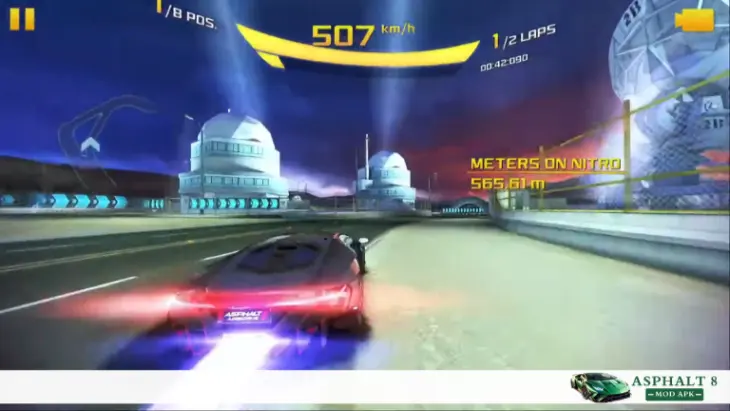
Map Layout & Route Structure
Summary
Area 51 has a layered layout with splits, tunnels, and open routes. Each variant offers shortcuts that can save major time if used correctly. Some paths are safe and wide, while others demand tight control and fast reactions. Our analysis shows that nitro placement and corner flow changed after the Multiplayer League update, which affects how players build speed. The track also has wreck-heavy spots that catch new players off guard.
Area 51 uses a mixed design that shifts between wide outdoor roads and narrow indoor rooms. The track layout changes with each variant, but the core idea stays the same: fast outside, tight inside. The game pushes you through different entry points, ramps, and small path splits that lead to time-saving shortcuts.
Path Splits in Asphalt 8 Area 51 Track
Most splits happen at three main points:
These splits appear across all four layouts but change slightly based on the route structure.
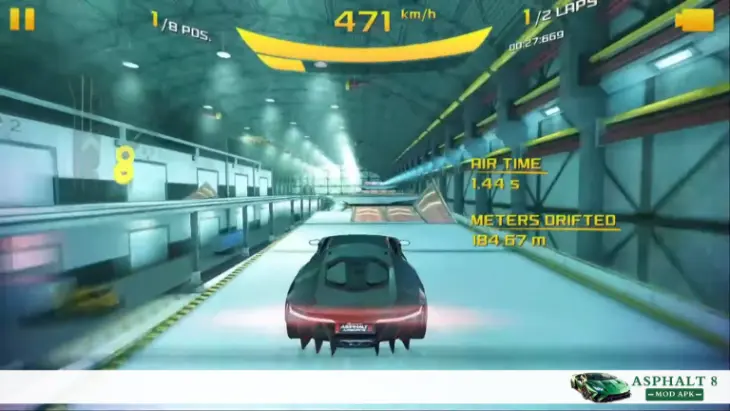
Shortcuts That Save the Most Time
Our analysis at asph8pro.com points to three high-value shortcuts:
These shortcuts demand clean entry, or they turn into wreck zones.
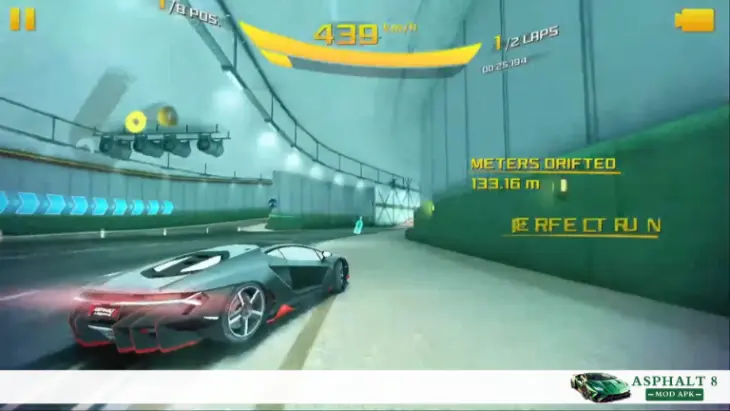
High-Risk vs Low-Risk Routes
Asphalt 8 Area 51: High-Risk Routes | Asphalt 8 Area 51: Low-Risk Routes |
|---|---|
Tight indoor cuts | Wide outdoor roads |
Ramps inside laser rooms | Main hangar floor lines |
Narrow tunnel bypasses | Standard tunnel paths |
These save time but punish even small mistakes. | These give smooth flow and better consistency, making them ideal for multiplayer runs. |
Nitro Bottle Placements (After Multiplayer League Update)
The update moved several nitro bottles to improve visibility:
- More nitro bottles now sit near outdoor ramps.
- Fewer nitro pickups inside tunnels to reduce clutter.
- A new bottle was added before the final stretch in Route 375-1.
- Lab sections now show nitro bottles earlier, so players see them before turning.
Based on our findings, these placements help balance cars with slower nitro gain.
Common Wreck Zones
Players often wreck in these areas:
- Laser ramp section: Landing angle breaks easily if you enter too fast.
- Classified tight corridor: Wall taps turn into full wrecks at high speed.
- Asphalt 8 Area 51 Tunnel exits: Sudden light changes affect control.
- Desert-to-hangar entry: The shift from wide to narrow space causes late drifts.
- Airstrip ramp with stealth jet (in some variants): If the jet fails to load, its collision stays active, causing mid-air wrecks.
Our analysis shows that most wrecks result from speed changes and narrow exits, not from obstacles.
Gameplay Dynamics: What Makes Asphalt 8 Area 51 Challenging?
Summary
Area 51 feels hard because the track switches speed zones without warning. You get fast outdoor stretches and slow indoor rooms that break your rhythm. Nitro bottles appear in limited spots, so timing matters. Our analysis shows that ramps, barrel rolls, traffic, and lighting changes create extra pressure during races. These elements make Area 51 one of the most demanding in Track in Asphalt 8.
Area 51 challenges players with quick shifts in pace. Outdoor sections let you drive at full speed. You hit long lines and smooth corners that help you build nitro fast. The moment you enter the base, everything changes. Indoors, the space gets tight, and your car slows as you take sharp turns. This sudden shift forces you to adjust your timing without losing control.
Nitro is limited in many indoor rooms. You cannot rely on constant boosts here. Based on our findings at asph8pro.com, players who use nitro early in outdoor zones gain a clear advantage once they enter the tunnels. A short burst at the right time helps you exit corners faster and maintain pace before the next room.
Ramp timing is another major challenge. Some ramps are angled so your car is pushed off the racing line. A late jump can slow you down or cause a wreck. Our analysis shows that staying centered before each ramp gives the safest results, especially in the laser gate area.
Area 51 also gives several barrel roll chances. Some ramps lead into curved edges that create natural rolls. These rolls build nitro fast, but only if done cleanly. A bad angle can send the car into a wall, so players must balance risk and speed.
Military trucks and armored vehicles add more tension. They move more slowly than normal traffic and take more space. If you drift too close, you may lose speed or take a hit. Outdoor zones have civilian cars, but indoor halls sometimes mix military traffic, breaking your flow.
Lighting also affects how you drive. The track stays dark in many areas. Bright signs and glowing panels can distract your eyes during fast turns. When you leave a tunnel, the sudden brightness makes it easy to miss the next corner. Our analysis shows that this visual shift leads to many wrecks, especially for new players.
All these elements combine to make Area 51 a track that rewards control, timing, and quick reactions. Players who learn the pace shifts gain a strong advantage in both Career mode and Multiplayer.
Read also for: Asphalt 8 old version
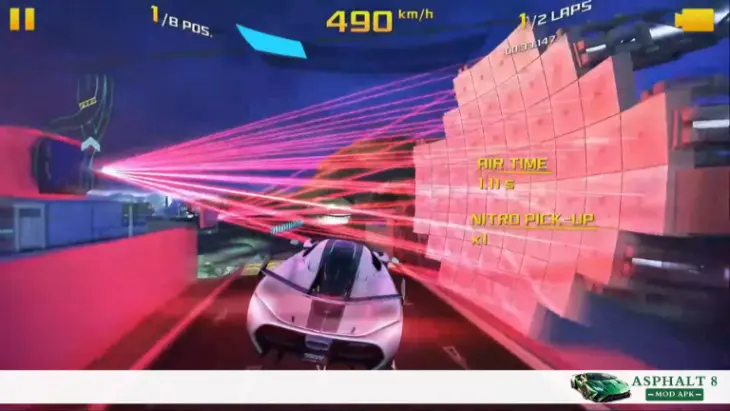
All Shortcuts in Asphalt 8 Area 51
Summary
Area 51 has more shortcuts than any other track in Asphalt 8. Each layout uses different tunnel cuts, side rooms, and desert lines to save significant time. Our findings show that knowing when not to use a shortcut is just as important as knowing where the shortcut is. Different car classes perform better on different routes. This guide breaks down every major shortcut so players can choose the safest and fastest line.
Below is the complete list of high-value shortcuts for all four Area 51 layouts.
Test Site: Omega — Shortcuts
Shortcut 1: Hangar Left Cut
Shortcut 2: Airstrip Side Path of Asphalt 8 Area 51
Shortcut 3: Tunnel Drop-In
Classified — Shortcuts
Asphalt 8 Area 51: Shortcut 1: Side Corridor Cut
Shortcut 2: Warehouse Tunnel Bypass
Shortcut 3: Low Corridor Split
The Secret Lab — Shortcuts
Shortcut 1: Glow Room Left Cut
Shortcut 2: Laser Gate Tight Path
Shortcut 3: Lab Exit Tunnel
Route 375-1 — Shortcuts
Shortcut 1: Desert Diagonal Cut
Shortcut 2: Canyon Wall Split
Shortcut 3: Asphalt 8 Area 51 Hangar Ramp Bypass
Shortcut 4: UFO Mothership Event Path
(Only in special events)
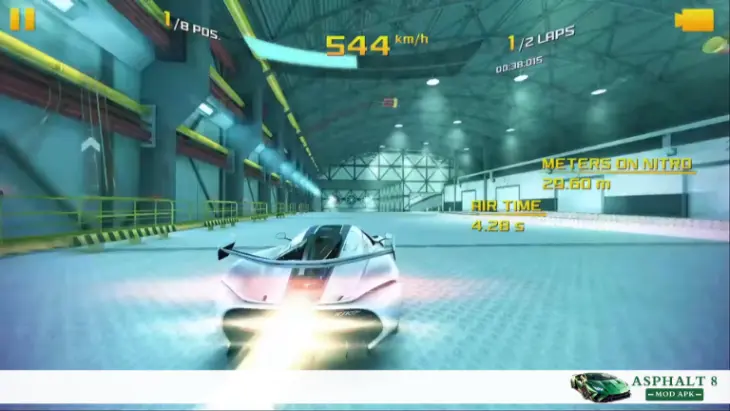
Best Cars for Asphalt 8 Area 51 Track
Summary
Area 51 needs cars that handle tight turns yet stay fast on the open road. You need a setup that mixes top speed, good nitro use, and clean cornering. Our analysis shows that airtime control is highly effective, given the track’s many ramps. Each class offers cars that perform well, but some models give a clear edge based on layout. This guide lists the best options for S, A, B, and C class players.
Area 51 challenges every car in different ways. You get fast desert stretches, narrow labs, and ramps that demand clean control. The best cars are the ones that switch pace without losing stability. Our findings show that cars with strong nitro and tight handling gain the most time across all four layouts.
S Class Best Picks
Best cars in S Class are the following.
1. Lamborghini Egoista
Our findings at asph8pro.com show this car performs best in Test Site: Omega and Classified.
2. Bugatti Chiron in Asphalt 8 Area 51
3. Koenigsegg Jesko (if available in the user’s version)
A Class Best Picks in Asphalt 8 Area 51
Best cars in A Class are the following.
1. Ferrari LaFerrari
- Balanced stats
- Handles tight labs without sliding
- Good nitro time
- Ideal for Classified and The Secret Lab.
2. Mercedes-Benz SLS AMG Coupé Black Series
- Strong grip in tunnels
- Reliable drift pattern
- Good speed for outdoor sections
- Great option for both single-player and multiplayer.
3. Chevrolet Corvette Grand Sport
- Stable over ramps
- Easy control during sudden lighting changes
- Best for players who want smooth and predictable handling in Asphalt 8 Area 51 track.
B & C Class Cars (For Career Mode Players)
B and C class cars are the following.
B Class Picks
C Class Picks
Our analysis shows that B and C-class cars need more drift control than raw speed. These cars help players learn the track without losing control in narrow spaces.
Recommended Setups (Pro Kits / Tuning)
- Handling First: Upgrade handling early. Indoor rooms are tight, and clean drift control saves more time than raw speed.
- Nitro Duration Next: Increase nitro time so boosts last longer between tunnels. This helps during lab exits and long desert roads. A strong launch helps when leaving tight corners or tunnels.
- Top Speed Last: Speed matters on Route 375-1, but only after handling and nitro upgrades feel stable.
- Asphalt 8 Area 51 Suspension Tunings: Soft suspension helps with airtime control and reduces bad landings.
Based on our findings, these setups work across all Area 51 layouts and give the most balanced performance.

Car Performance Tips Specific to This Track
Summary
Asphalt 8 Area 51 track needs smart nitro use, clean drifting, and careful jump timing. The track mixes fast desert paths with narrow indoor rooms, so your control must stay steady. Our findings show that most wrecks occur due to poor ramps and late drifts. This guide covers the safest ways to use nitro, handle corners, and stay fast in tunnels. These tips help players keep speed through every layout.
Area 51 rewards players who manage their nitro carefully. Outdoor zones help you build nitro fast, but indoor rooms do not. Use nitro on long straights and after wide corners. Save at least one boost before tunnels so you can exit turns with better momentum.
Perfect Nitro Spots
Our analysis shows three strong nitro points across most layouts:
These spots help you keep speed during pace changes.
Drift Timing
Drift early in narrow rooms. The corridors turn fast, and late drifting causes wall taps. Based on our tests at asph8pro.com, short drifts give the best control in Classified and Secret Lab. Avoid long drifts unless you are outside the base.
When NOT to Jump: Avoid jumps if;
Skipping these jumps keeps your car stable and saves time.
How to Avoid Laser Ramp Wrecks in Asphalt 8 Area 51 Track?
The laser room is risky because the second ramp sits higher than the first. Slow down slightly before the second jump. Keep your car centered, or you may land off-line. Our analysis shows that even top players crash here if they boost too hard. If a crash does happen, how to fix asphalt 8 crashes usually comes down to resetting the race and adjusting your approach slightly before attempting the section again.
How to Maintain Speed in Tunnels?
Tunnels limit visibility and space. Stay centered when entering. Drift early, then release drift before the exit. Use a small nitro burst after the turn to recover speed. Avoid hugging walls since shadows can hide edges. These actions help you stay fast and stable in every Area 51 layout.

Special Events on Asphalt 8 Area 51 Track
Summary
Area 51 appears in many key Asphalt 8 events and updates. Several R&D events start or end on this track, and some cars were introduced through Area 51 challenges. Limited-time events also include alien visuals and the Mothership, which makes the track feel more intense. Our findings show that updates like Santa’s Gift and the Multiplayer League patch improved lighting and route balance. These changes make Area 51 more active in event cycles than most players realize.
Area 51 plays a major role in many Asphalt 8 events. Some R&D stages take place here, especially for cars that fit the secret-base theme. A few events even start and end on Test Site: Omega. Based on our findings, this layout works well for testing cars because it mixes wide areas with tight sections.
Several cars were introduced with Area 51 challenges. These include models featured in Santa’s Gift and Lunar New Year updates. Our analysis shows that the game uses this location whenever a car requires a mix of speed tests and handling checks.
Limited-time events often feature the Mothership. The large alien craft appears in Route 375-1, adding a strong theme to the race. You also hear special background sounds during these events. In some cases, a small alien ship appears in the Classified warehouse. These visual changes do not affect gameplay but create a unique race atmosphere.
The Santa’s Gift update first added Area 51 to Asphalt 8. The update introduced all four layouts and tied several Season 9 events to this location. Players got new cars, new routes, and a new nighttime environment that made the base look different from other Asphalt 8 tracks.
The Multiplayer League update improved the lighting on all Area 51 layouts. Our findings at asph8pro.com show that the update made ramps, doors, and tunnels easier to see. It also changed some nitro bottle spots to give better flow during online races.
These updates and events keep Area 51 active in the game and make it one of the most used tracks during special content drops.
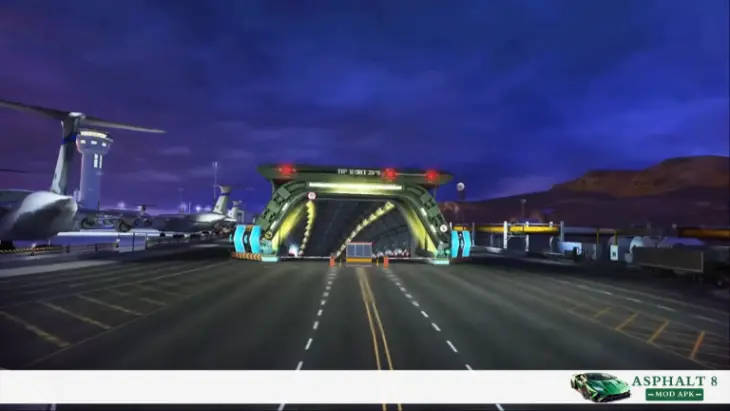
Easter Eggs, Secrets & Hidden Details
Summary
Area 51 has many secrets that most players never notice. The track hides alien ships, special sound effects, and unused event files inside the game data. Our findings show that some bugs and visual glitches also became fan favorites. The blue nitro power-up, stealth jet issues, and odd Gate Drift behavior all add to the track’s mystery. These details explain why players either enjoy or avoid Area 51.
Asphalt 8 Area 51 track has several Easter eggs that make the track stand out. The most popular one is the large Mothership. It appears during selected events on Route 375-1 and brings unique sound effects. Our analysis shows that players enjoy the moment because it shifts the race’s mood without affecting gameplay.
Another secret is the small alien ship inside the Classified warehouse. The ship sits in a dark corner and flashes slightly when you pass by. It does not move, but the placement makes the map feel more alive.
Game data files also show unused assets for UFO crash events. We found files with names linked to fly-by and crash sounds. These files suggest that Gameloft once planned a bigger alien feature for Area 51 but never activated it. These hidden traces are a major reason the community talks about this track.
The blue nitro power-up is another unique detail. Only a few tracks in Asphalt 8 use this color. Based on our findings at asph8pro.com, the blue bottle appears more often in Area 51 to match the darker theme and improve visibility in narrow rooms.
The Classified layout also has a stealth jet glitch. When you race offline, the jet sometimes fails to load, but its collision stays active. Players can crash mid-air even though the jet is not visible. This glitch is rare but well-known among long-time players.
Gate Drift also behaves strangely in Area 51. Some routes get blocked with concrete barriers. After the event ends, the AI tries to drive through the barriers and wrecks the car. This happens because the AI follows the standard racing line and fails to detect the block.
Players have mixed feelings about Area 51 because of these details. Some love the mystery, lighting, and theme. Others struggle with the tight turns, harsh wreck spots, and sudden jumps. The track creates strong reactions on both sides, which is why it remains one of the most talked-about locations in the game.
Performance Optimization for Mobile Gamers
Summary
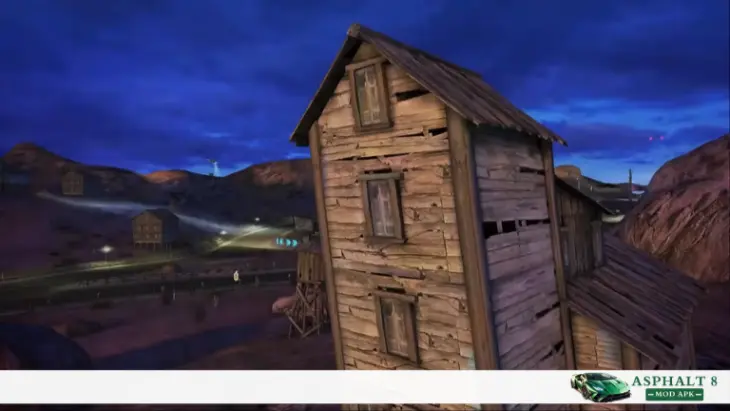
Area 51 runs smoother when your device uses the right settings. The track has dark rooms, bright signs, and fast-paced changes, so visibility matters. Our findings show that lowering a few graphics settings can boost frame rate on both Android and iPhone. Motion blur, shadows, and effects also play a big role in performance. These tips help you race clean on any device, even older ones.
Area 51 feels heavy on mobile devices because of its lighting and fast movement. Dark tunnels and glowing labs can slow weak devices. Smooth gameplay makes a big difference during tight turns, so settings must stay balanced.
Best Graphics Settings for Smooth Racing
Our analysis shows that these settings work well on most phones:
These settings reduce sudden drops in animation speed.
Motion Blur & Visibility Settings
Asphalt 8 Area 51 Tips for Weaker Devices
If your phone slows down, try these steps:
These changes help maintain smooth speed during long sessions.
Windows Version Performance Differences
The PC Windows version handles lighting better. You get sharper edges in tunnels and labs. The frame rate stays stable on most PCs, even older ones. Our analysis shows that PC players gain better control in tight rooms because the screen shows more detail. Nitro trails and ramps also appear clearer on Windows, which helps with timing.
Why Do Many Players Dislike Asphalt 8 Area 51 Track?
Summary
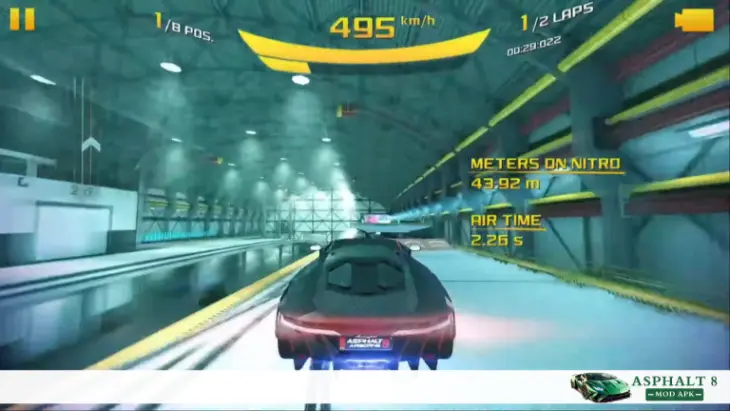
Area 51 has a mixed reputation in the Asphalt 8 community. Many players say the track feels harder than most locations in the game. Our findings show that tight rooms, heavy shadows, and harsh wreck spots frustrate new racers. Polls often place Area 51 near the bottom, close to Iceland. These points explain why the track gets strong reactions from players.
Area 51 has a steep learning curve. New players struggle with sudden speed changes and narrow rooms. The path looks simple at first, but the layout demands exact timing. Our analysis shows that players who race only on open tracks like Nevada or Tokyo find it much harder to adjust to Area 51.
The tight indoor sections create most of the pressure. The labs, tunnels, and corridors leave almost no room for correction. A small drift mistake can send the car into a wall. These moments break the flow and make the track feel unforgiving, especially in Classified and The Secret Lab.
Wreck zones make things worse. Some ramps are angled to punish high speed. A bad landing can end the run even if the line looked correct. Our findings at asph8pro.com show that the laser ramp area causes the highest number of mistakes on this map.
Visual overload also affects performance. The track alternates between dark tunnels and bright signs, and glowing panels. These shifts confuse players during fast turns. Moving from desert light to indoor darkness makes it easy to miss edges or misjudge distance.
Community polls often rank Area 51 near the bottom. Iceland usually stands with it because both tracks demand precise control. Many players prefer smoother, wider tracks. Others enjoy the challenge, but the overall vote shows that Area 51 is one of the least liked maps in the game.
Even with these issues, the track remains popular for its theme and mystery. Players may complain about the difficulty, but they still remember the experience.
Who Should Master This Track?
Summary
Area 51 rewards players who want better control, faster laps, and stronger race results. The track helps multiplayer racers, Career mode grinders, and R&D runners sharpen their timing. Our findings show that players who learn Area 51 gain a clear edge in events and online races. Mod APK players also benefit, as the map requires precise movement. Anyone aiming to improve their skills should invest time here.
You need to master this track because of the following points.
Multiplayer Grinders
Multiplayer players gain the most from mastering Area 51. The track often appears in league rotations, and its tight turns punish slow reactions. A clean run gives a big lead early. We found that players who understand the layout survive close battles better and keep higher ranks across seasons.
Asphalt 8 Area 51 Star Collectors (Career Mode)
Career mode racers need consistent control. Many Area 51 races ask for clean laps, time-based goals, or drift-based tasks. Learning the layout helps players earn all stars without having to repeat races. The mix of indoor and outdoor paths teaches steady racing lines that help throughout the game.
R&D Event Runners
R&D events use Area 51 for testing speed, handling, and nitro control. Some stages start or finish here. Our findings at asph8pro.com show that players who master this map complete R&D tasks faster and require fewer attempts. The track forces you to balance risk and speed, which fits R&D challenges.
Mod APK Players Needing Precision
Mod APK users still need real driving skills. This map exposes sloppy control even with extra nitro or stronger cars. The indoor rooms punish late drifts, and ramps punish bad angles. Mastering Area 51 helps Mod users race cleanly in every mode.
Players Improving Lap Times
Anyone who wants faster laps should practice here. Area 51 teaches timing, corner entry, nitro placement, and stable landings. These skills transfer to almost every other track. Our analysis shows that players who improve here get better across the entire game.
Final Tips From an Asphalt 8 Player
Summary
Area 51 looks confusing at first, but it becomes easier with the right habits. Small changes in drift timing, nitro use, and ramp control can fix most problems. Our findings show that beginners repeat the same mistakes across all four layouts. These tips come from real gameplay experience and help players build confidence. Speedrunners also get clean lines by following these simple rules.
The following are the tips from an Asphalt 8 player.
Personal Insights
Area 51 felt overwhelming the first time I played it. The shifts from open desert to tight labs broke my rhythm. What helped me most was learning the pace of each section. Slow indoors, fast outdoors. Once I matched my speed to the layout, the track started to make sense. Our analysis shows that this simple mindset helps players react earlier and make smoother turns.
Common Mistakes Beginners Make
Many new racers hit the same problems:
We found that most wrecks happen because players rush through indoor areas. Slowing down a little fixes half the issues.
What Helped Me Master the Track
I focused on three things:
These small habits made every layout easier, especially Classified and Secret Lab.
Speed Running Tips for Asphalt 8 Area 51 Track
Speedrunners gain time through control, not chaos. Here are the key moves:
Our findings at asph8pro.com show that top times come from steady driving, not wild jumps or heavy boosting.
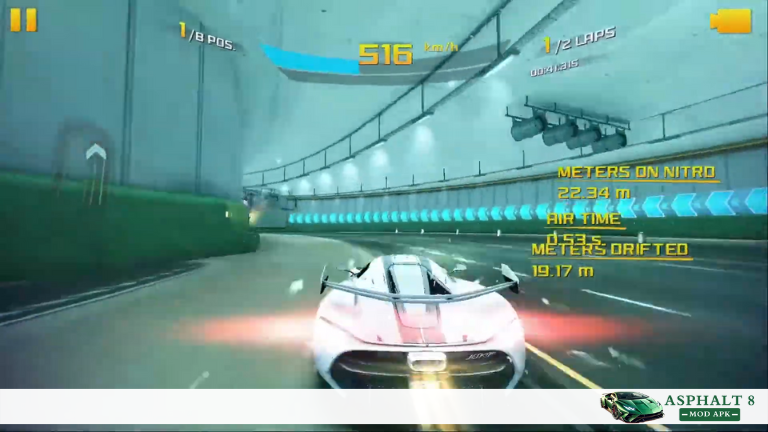
Screenshots of Asphalt 8 Area 51

Frequently Asked Questions (FAQ’s)
Conclusion
Asphalt 8 Area 51 stands out as one of the most detailed and demanding tracks in Asphalt 8. It mixes open desert roads with tight lanes and hard ramps, making every layout feel fresh. Our findings show that players who understand these shifts gain clear control in both Career mode and Multiplayer.
The best way to master this location is simple: practice each layout. Learn how the pace changes, when to drift, and which shortcuts fit your car. Each path teaches a new skill that helps across the entire game. With steady practice, the track becomes less confusing and more rewarding.
If you want to explore asph8pro.com or other routes, car guides, or event breakdowns, check our related Asphalt 8 articles. These guides build on the same tips and help you improve faster across every track.